Free AI for Small Business: 3 Workflows That Save Time

What “free AI” can realistically do for a small business
Free AI tools work best when they’re used for repeatable, text-heavy tasks that normally get done “when there’s time.” Think of AI as a fast first-draft machine and an organizer: it can help a small team move from scattered notes to consistent outputs, without pretending to replace judgment, expertise, or accountability.
- Turn rough notes into usable drafts for emails, posts, landing-page sections, proposals, and FAQs
- Summarize long documents and meeting notes into action items, owners, and deadlines
- Create reusable checklists, SOPs, and templates so work gets done the same way every time
- Generate variations of messaging for different audiences while maintaining a consistent tone
- Help compare options (tools, vendors, schedules) by organizing pros/cons and constraints
- Support basic data work: clean up text, categorize leads, and propose simple reports (with human verification)
The biggest win is consistency: fewer dropped balls, faster turnaround, and cleaner handoffs. The biggest risk is over-trust: sending unreviewed copy with incorrect pricing, missing policy details, or claims that don’t match reality.
A simple setup: pick 3 workflows before picking more tools
Before experimenting with a dozen apps, lock in three workflows that create immediate relief. This approach keeps AI use practical: one marketing workflow, one operations workflow, and one personal productivity workflow. Each should have a clear “done” definition and a short review step.
- Choose one marketing workflow to improve (example: weekly social posts or a monthly newsletter) and standardize it end-to-end
- Choose one operations workflow (example: intake forms + quoting + follow-up) and create a consistent “next-step” system
- Choose one personal productivity workflow (example: meeting notes → tasks → calendar blocks) to protect focus time
- Define success metrics for each workflow: time saved per week, fewer errors, faster response times, or higher conversions
- Set boundaries early: what AI can draft vs. what must be reviewed (prices, legal claims, medical claims, guarantees)
Start with three high-impact AI workflows
| Workflow | Best for | AI output | Human review needed |
|---|---|---|---|
| Marketing content batch | Consistent posting and faster campaigns | Draft captions, headlines, email variants, content calendar ideas | Brand voice, compliance, final edits, visual selection |
| Customer response playbooks | Faster replies without sounding robotic | First-draft replies, troubleshooting steps, escalation paths | Policy accuracy, refunds/returns rules, tone for sensitive cases |
| Operations templates | Reducing rework and missed steps | SOPs, checklists, onboarding steps, handoff notes | Process ownership, exceptions, approvals |
Marketing: practical ways to use free AI without watering down your brand
Marketing is where free AI feels most “magical,” but it’s also where generic copy can quietly flatten what makes a small business different. The solution is to give AI constraints: your offer, your audience, your proof, and your tone.
- Build a “message bank”: 10 value props, 10 objections with responses, 10 proof points, and 3 brand tones (friendly, expert, concise)
- Draft campaign bundles in one sitting: 1 email, 3 social posts, 2 short-video scripts, and 5 ad headlines derived from the same offer
- Use AI for repurposing: turn a long FAQ answer into a carousel outline, a reel script, and an email P.S.
- Improve clarity: ask for a rewrite at an 8th-grade reading level, then re-add industry terms only where needed
- Create better CTAs by generating options based on the same goal (book a call, download, buy now, request quote)
To keep your voice intact, treat AI drafts like raw material: pull the best lines, delete anything that sounds inflated, and add specifics only you know (real turnaround times, real differentiators, real customer outcomes).
If visual branding is part of the bottleneck, a structured guide can help teams pick and stick to consistent palettes and styling decisions. Consider pairing your faster copy workflow with a brand-visual reference like Summer Color Harmony Bundle | summer season colors 3-in-1 Digital Guides.
Operations: reduce errors with checklists, scripts, and lightweight automation
For businesses that thrive on checklists and clear decision points, it can also help to see how other checklist-style products structure information. A compact example is Rental Car Insurance Survival Checklist | Insurance for Rental Cars What You Need | Printable Travel Planning Checklist, which shows how to keep critical steps simple and scannable.
Everyday productivity: use AI as a thinking partner, not a decision maker
Safe and responsible use: keep customer trust while saving time
For a grounded approach to managing AI risk and accountability, use established guidance like the NIST AI Risk Management Framework (AI RMF 1.0) and the Federal Trade Commission’s Artificial Intelligence guidance.
A practical guide to follow day by day
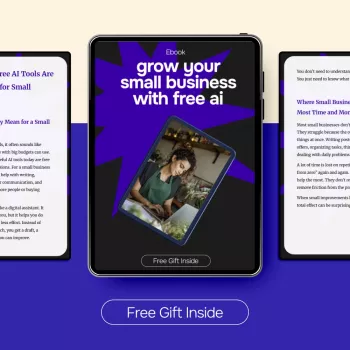
Recommended resource: Grow Your Small Business With Free AI – Practical eBook for ai for small business owners free tools, Marketing, Operations & Everyday Productivity. It’s designed to help small teams turn drafting, summarizing, and organizing into simple systems that save time week after week.
Featured digital products
- Grow Your Small Business With Free AI – Practical eBook for ai for small business owners free tools, Marketing, Operations & Everyday Productivity
- Rental Car Insurance Survival Checklist | Insurance for Rental Cars What You Need | Printable Travel Planning Checklist
- Summer Color Harmony Bundle | summer season colors 3-in-1 Digital Guides
FAQ
Which small-business tasks benefit most from free AI tools?
Prioritize repeatable writing and organizing tasks like drafting emails and posts, summarizing notes into action items, creating checklists/SOPs, and generating message variations. Keep humans responsible for accuracy, approvals, and final decisions.
Can free AI tools replace a marketer or operations manager?
Free tools can speed up execution and documentation, but strategy, positioning, and judgment still require a human. The strongest results come from pairing AI drafts with consistent review and clear standards.
Is it safe to use AI for customer messages and internal documents?
It can be safe when you avoid sensitive data, verify claims and policy details, and add a review step before anything goes out. Treat AI outputs as drafts and maintain a controlled source-of-truth for pricing, policies, and guarantees.















Leave a comment