Used Tech Buying Checklist: Avoid Locks, Fakes & Damage

Used Tech Buying Checklist: Smart Steps for Confident Second-Hand Purchases
Buying used electronics can save serious money, but only if the device is legit, supported, and in the condition promised. This checklist-style guide breaks down what to verify before meeting a seller, what to test in minutes on the spot, and what to do right after purchase to reduce the risk of hidden damage, locked accounts, missing parts, or stolen goods.
Before Shopping: Set the Rules That Prevent Bad Deals
Strong used-tech deals start with clear boundaries. Decide what you will not compromise on—model generation, storage/RAM, and carrier/unlocked status for phones. For phones and laptops, set a minimum battery-health expectation (or a maximum cycle count) so you’re not surprised by expensive replacement needs.
Next, check current market pricing for the exact configuration (not just the model name). If a listing is drastically cheaper than comparable sales, treat it as a red flag that demands extra verification, not as a guaranteed bargain.
Whenever possible, choose marketplaces with buyer protection, return windows, and documented condition grading. If meeting a seller in person, plan a safe meetup: public location, daylight, and access to power and Wi‑Fi so you can test properly. If the seller can provide proof of purchase or an original order email, ask for it and match names when possible.
Before you ever leave the house, request the exact model number plus the serial/IMEI so you can confirm specs, warranty status, and compatibility. A legitimate seller should understand why this matters.
Seller Questions That Reveal the Real Story
Simple questions can expose inconsistent ownership stories or hidden issues. Ask why it’s being sold and how long the seller has owned it. Find out whether it has ever been repaired, who did the work, and whether there are receipts or service records.
Then ask directly about known problems: overheating, random shutdowns, dead pixels, loose ports, speaker crackle, or camera focus issues. Confirm what’s included—box, charger, original cable, and accessories—and whether accessories are genuine. Finally, ask whether the device has been factory reset and signed out of all accounts, and whether the seller can demonstrate it boots normally and stays powered without being plugged in.
Red Flags to Walk Away From (Even if the Price Is Great)
Some warning signs are not worth “taking a chance” on. Walk away if a seller refuses in-person testing, won’t share serial/IMEI, or applies urgency pressure (“must sell now”). Another immediate deal-breaker: the device is still logged into an account, shows activation/FRP locks, or the seller can’t remove those locks live.
On-the-Spot Testing Checklist (Phones, Tablets, Laptops)
Quick Device Test Matrix (What to Check and What Failure Means)
| Test | How to Check Fast | If It Fails, Likely Impact |
|---|---|---|
| Battery health / drain | Check battery health menu (if available) + 10 minutes unplugged use | Short runtime, unexpected shutdowns, added replacement cost |
| Account lock status | Confirm no activation/FRP locks; seller signs out fully | Device may be unusable; theft risk; no safe purchase |
| Charging & data port | Wiggle test + charge + data connection to another device | Intermittent charging, expensive board repair, accessory limitations |
| Screen defects | Solid color screens + touch edge-to-edge | Poor usability, costly screen replacement |
| Wi‑Fi/Bluetooth | Join Wi‑Fi and pair earbuds quickly | Connectivity problems, limited daily use |
| Cameras/mics/speakers | Record video + voice memo + playback at volume | Bad calls/content creation, hard-to-diagnose damage |
Account Locks, Stolen Device Checks, and Paperwork
Account locks are one of the most common ways used-tech purchases go wrong. Ensure the seller removes the device from their account while you’re present (Apple ID/Google/Microsoft), then reboot to confirm it doesn’t return to a lock screen. For Apple devices, review official guidance on Activation Lock and Find My at Apple Support.
For Android devices, Factory Reset Protection (FRP) can prevent setup after a reset if the prior account wasn’t removed correctly—details are covered at Google Help. For phones, verify IMEI/serial legitimacy and, where tools are offered, check whether it’s reported lost/stolen or tied to unpaid financing.
After Purchase: Secure, Update, and Validate Within 24 Hours
Run a fuller diagnostic sweep: extended camera/audio testing, storage health checks where available, and for laptops, keyboard/trackpad verification and longer unplugged use. Be picky about accessories—discard questionable chargers or cables and use certified options to reduce fire and battery risks. Finally, document the device condition immediately with photos/video in case a return dispute arises. For broader consumer safety guidance, the Federal Trade Commission (FTC) provides practical shopping advice.
Common Used-Tech Purchases: What to Prioritize by Category
Printable Checklist Option for Repeatable, Low-Stress Buying
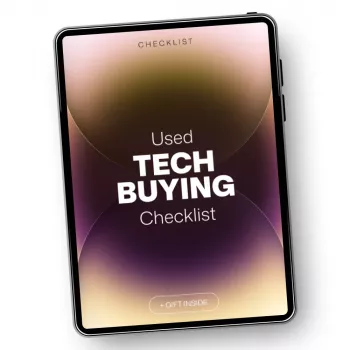
If you want a ready-to-use format, consider Used Tech Buying Checklist – Smart Second-Hand Tech Purchase Guide | used tech buying checklist. For another practical, print-and-go option for trips, Rental Car Insurance Survival Checklist | Insurance for Rental Cars What You Need | Printable Travel Planning Checklist can help keep decision-making simple when you’re on the move.
FAQ
What should be checked first when buying a used phone?
Check account lock status first (Activation Lock/FRP), then verify IMEI and carrier/unlock status. If the seller can’t remove their account live, don’t buy it.
Is “refurbished” always safer than buying from an individual seller?
Often it’s safer when grading, testing, warranty coverage, and returns are clearly documented. Quality varies, so confirm who refurbished it, what parts were replaced, and what the return policy actually covers.
How can battery health be evaluated on used devices?
Use built-in battery health or cycle-count tools when available. Otherwise, rely on real-time drain testing, charging behavior, and heat during normal tasks, and budget for a replacement if runtime is poor.















Leave a comment